A Mac app · photo · video · editing
Card in. First cuts waiting in DaVinci.
Projekty offloads your card into the job folder and sets up the project in DaVinci. An AI agent cuts the reels and adds corrected subtitles, punch-in zooms and a base grade. You review, fix and deliver to the client.
Works with DaVinci Resolve, Frame.io and ShootOS · I set it up with every tester personally
Footage→
From card to project in one wizard
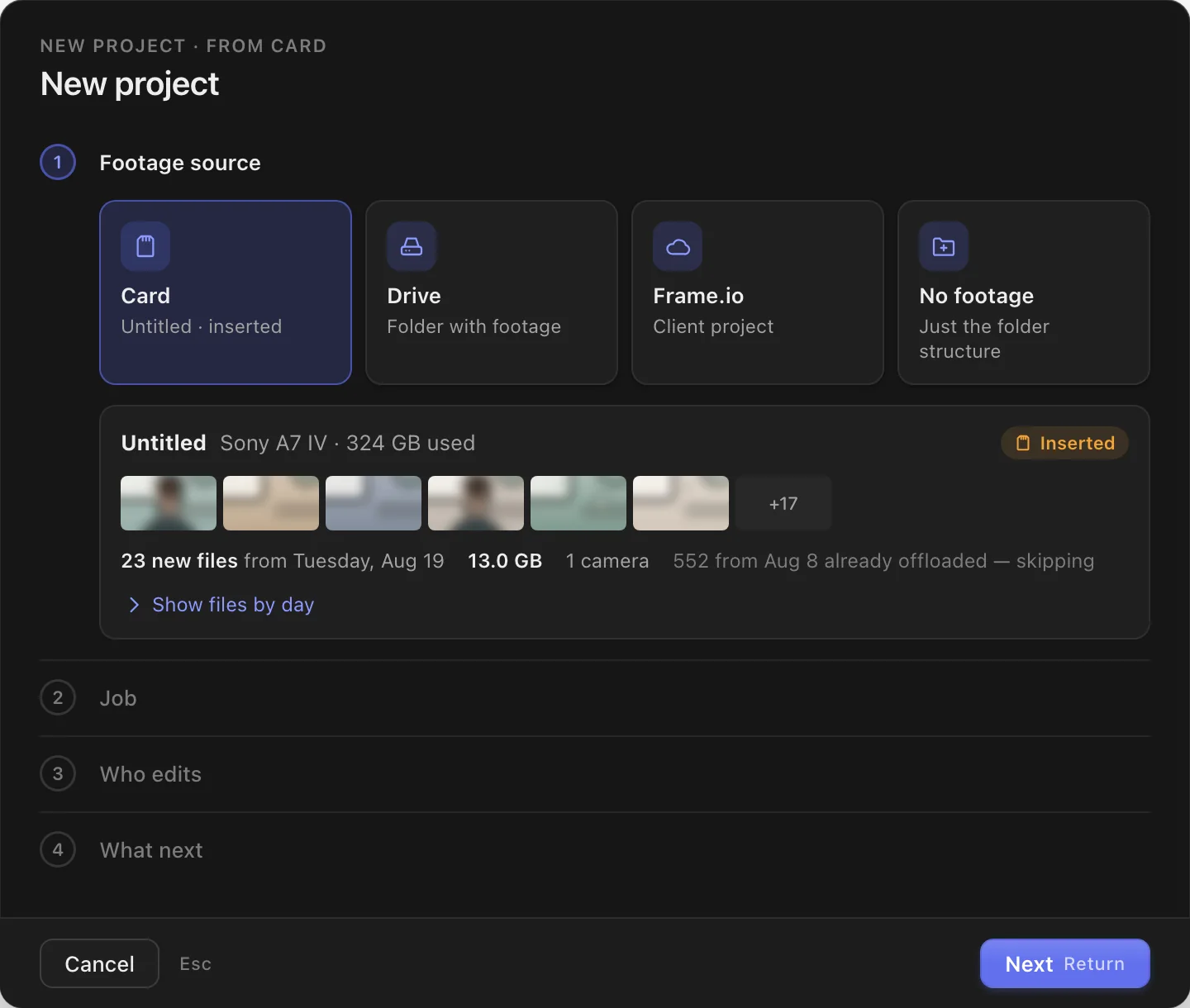
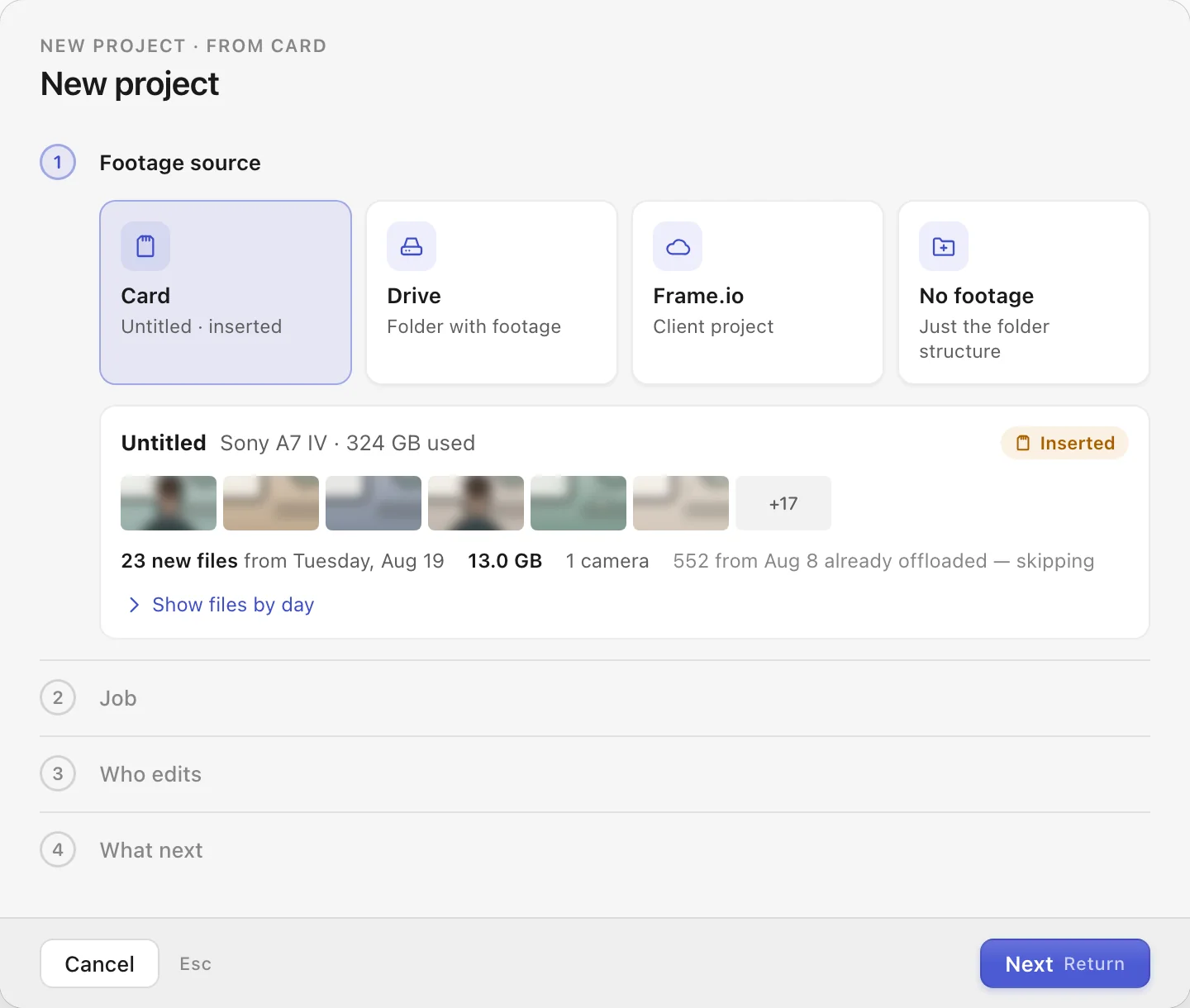
Insert the card and the wizard opens on its own. Four questions: where the footage comes from, which job it’s for, who edits, what happens next.
- Files already offloaded from this card are skipped — you see that before you start.
- It suggests the job from your ShootOS calendar, matching the day the footage was shot.
- The source can also be a drive or a project on Frame.io.
Reels from your script — or straight from the footage
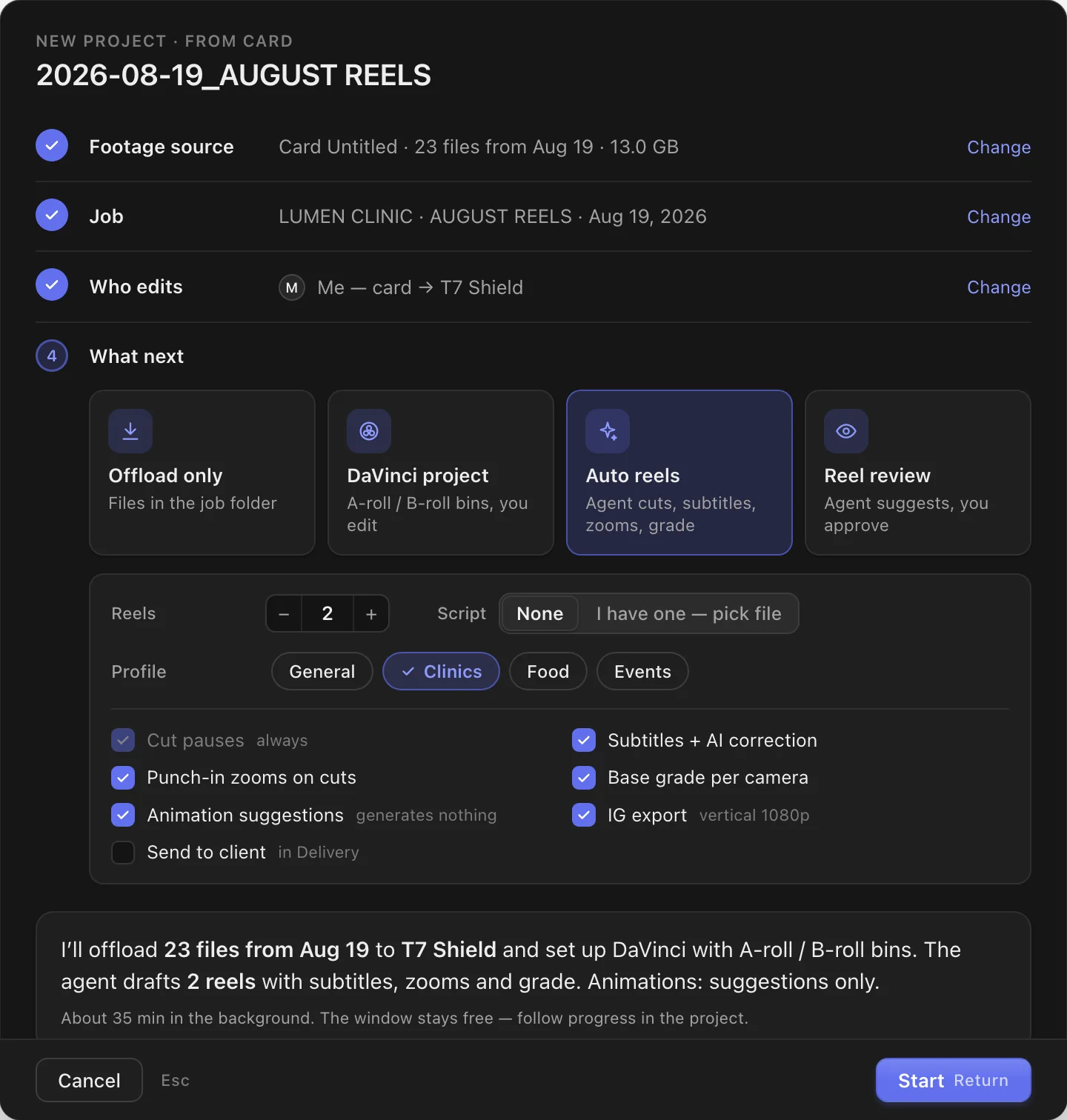
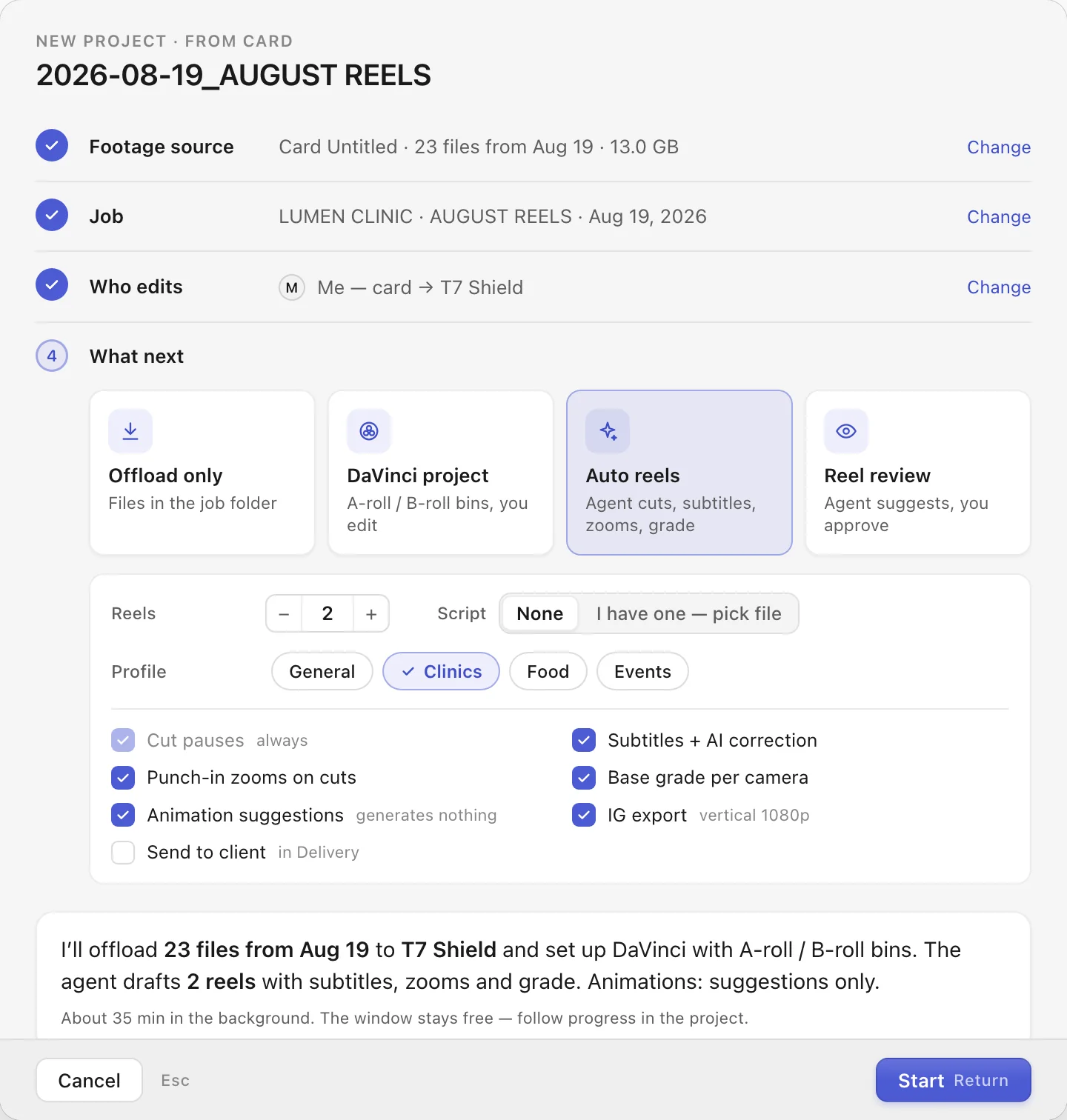
Point it to a script or leave the choice to the agent. You get timelines in DaVinci to review, not raw footage.
- Cutting: pauses removed, punch-in zooms on cuts, a base grade per camera, export for Instagram.
- Subtitles in DaVinci corrected by AI: typos, Polish diacritics, one-line breaks.
- Profiles per type of client — set the subtitle style and vocabulary once.
Title cards and AI graphics in the client’s colors
The agent reads the reel’s text and marks the moments where it’s just a talking head. It suggests a title card or a graphic — the decision and the click are yours.
- Title cards in the brand’s colors and fonts, with its logo. They render on your Mac, at no cost.
- AI graphics are infographics with Polish labels, or close-up details. No faces are generated.
- Nothing happens on its own. You see what a graphic costs before you click to make it.


Hand off the edit with one choice
In the wizard you choose who edits. If it’s your editor, the footage goes from the card straight to Frame.io — and you decide whether to keep a copy on a drive.
- The job shows up for your editor in ShootOS, with a deadline.
- You see where every edit stands in the project list: editing, with the client, revisions.


An archive you can trust
Once the client approves, one button: it gathers the assets used in DaVinci, copies the project to your backup drive and verifies the copy byte by byte.
- It clears the working drive only after verification — and only if you tick that box.
- All in the background. The window stays free.


For people who edit every week, not once in a while
Photo & video
You make reels for businesses
Clinics, restaurants, brands. A repeatable format, lots of footage, little time to cut.
With an editor
You hand off the edit
Footage, deadlines and edit status in one place — for you and for your editor.
Editor
You edit for a creator
Footage arrives via Frame.io; you see the job and its deadline in ShootOS.
What you need
- Computer
- A Mac and DaVinci Resolve StudioThe agent controls DaVinci through scripting.
- AI
- A Claude Pro or Max accountIt runs the automation agent and the subtitle correction.
- Drives
- A working drive and a backup drive
- With an editor
- Frame.io and ShootOSShootOS holds the jobs calendar and the edit status.
- AI graphics
- A Higgsfield accountFor graphics only. Title cards don’t need any account.
- Language
- English interface in progressToday the app runs in Polish and is tested on Polish-language footage.
From the maker
I’m a photographer and videographer from Poland. I built Projekty for my own jobs: reels for clinics and brands, edited together with my editor over Frame.io. I use this app on my own client work.
Marcin Bykowski
Before you sign up
Will AI edit the whole video for me?
No. The agent makes first versions of your reels in DaVinci: cuts, subtitles, zooms and a base grade. Graphics it only suggests. Reviewing and fixing stay with you.
How much does the AI cost?
The agent runs on your own Claude account. Title cards render on your Mac at no cost. AI graphics use Higgsfield credits — you see the cost before you click.
Does it work with English footage?
I haven’t tested it on English yet — Projekty grew out of my own Polish-language jobs. If you shoot in English or another language, sign up and reply to my welcome email with your language. That tells me what to build next.
Does it run on Windows?
No. Projekty is a macOS app.
Want this app on your Mac?
Leave your email. You’ll be among the first invited to test it — and you’ll only hear from me when something real happens.